Learn the world of design systems
In Summer 2022, I was a Digital Design Intern on Shopify’s Checkout Extensibility team, where I worked on redesigning parts of the Checkout UI design system and creating developer-facing documentation.
The team’s mission was to enable first- and third-party developers to safely customize Shopify’s checkout experience using extension APIs and UI components — while maintaining Shopify’s high bar for accessibility, performance, and consistency. During my internship, I partnered closely with designers, developers, and a content designer to:
Identify gaps in the existing design system and documentation
Streamline UI kit components
Design and author color usage guidelines, one of the most critical pain points for developers
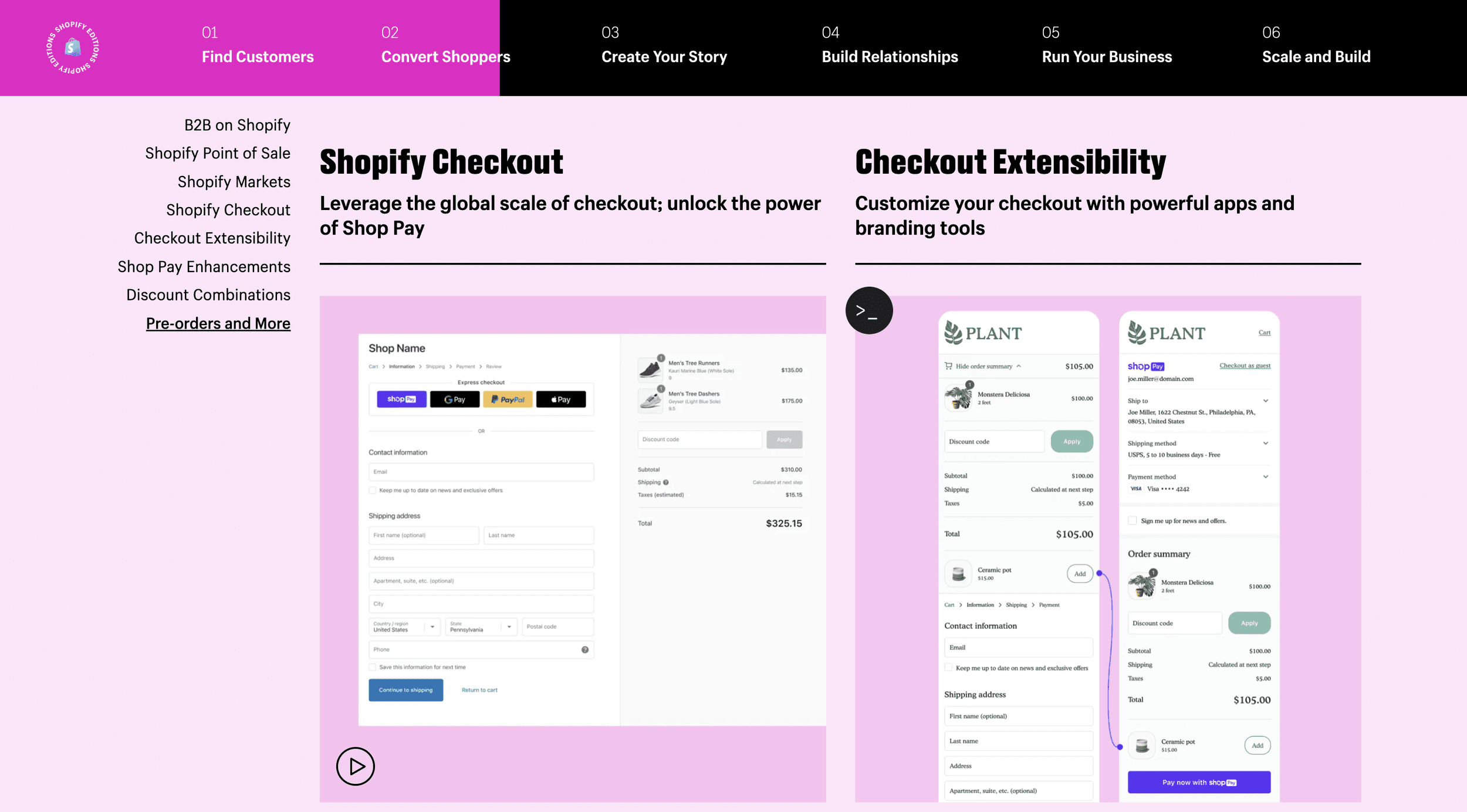
Checkout Extensibility
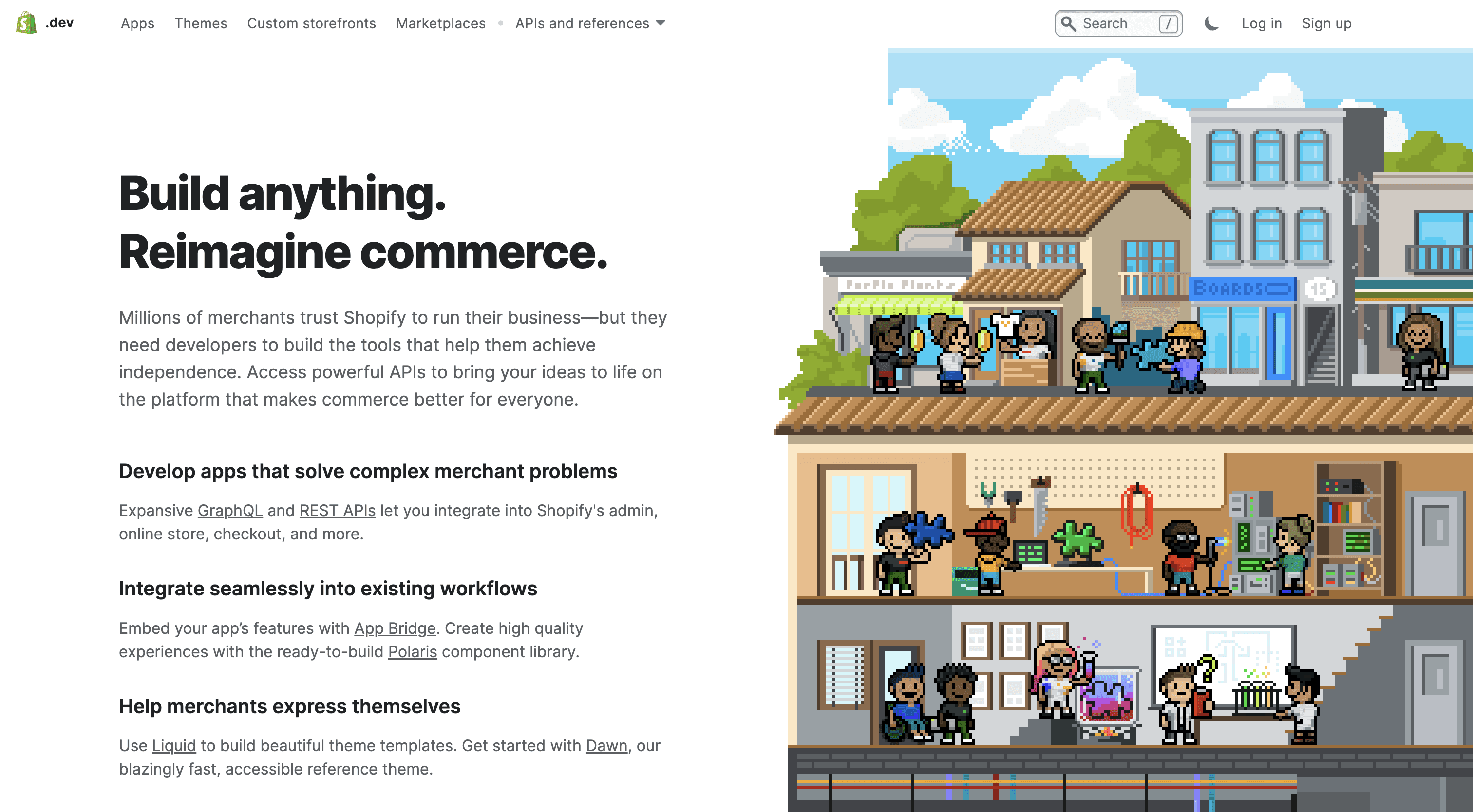
Checkout Extensibility enables developers to customize checkout experiences through:
Extension points
APIs
Pre-approved UI components
The goal was to provide a robust component library that:
Meets strict accessibility and performance standards
Scales across thousands of storefronts
Is easy for developers to understand and implement correctly
Primary users:
First- and third-party developers building checkout extensions on Shopify.
I audited the research repository and public documentation available to users (Shopify.dev, component library, past design system files etc. ) to understand current system’s issues. I also interviewed multiple stakeholders from internal designers to our target users, third-party developers.
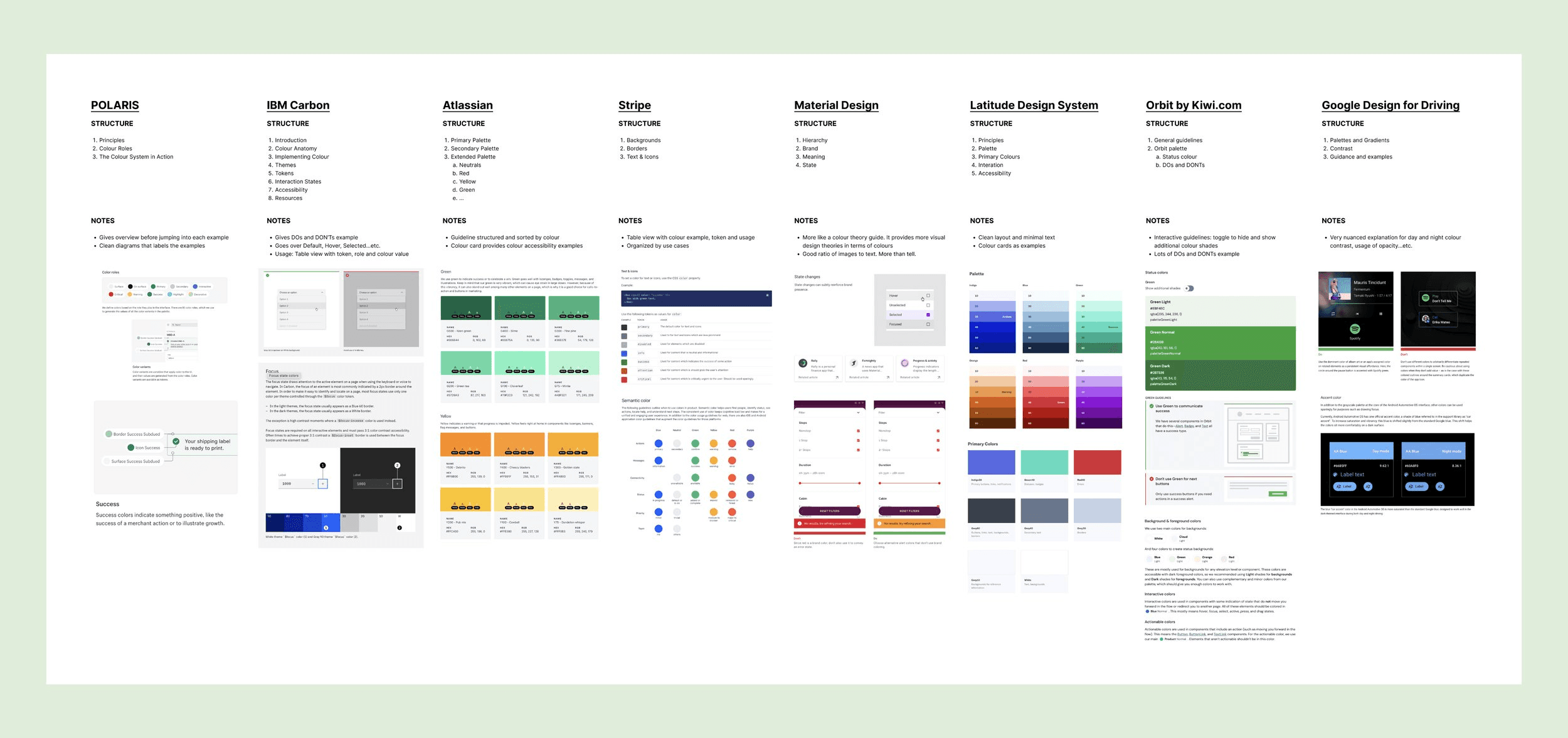
Competitive analysis: I conducted competitive analysis to better understand how to create successful color documentation for developers. It is important to learn the pros and cons of existing color guidelines while understanding the current conventions which developers are used to.
The Developer Journey
After gathering all the research from different stakeholders and the audit, I created a design question and identified 3 areas of improvements that impacts the user’s experience.
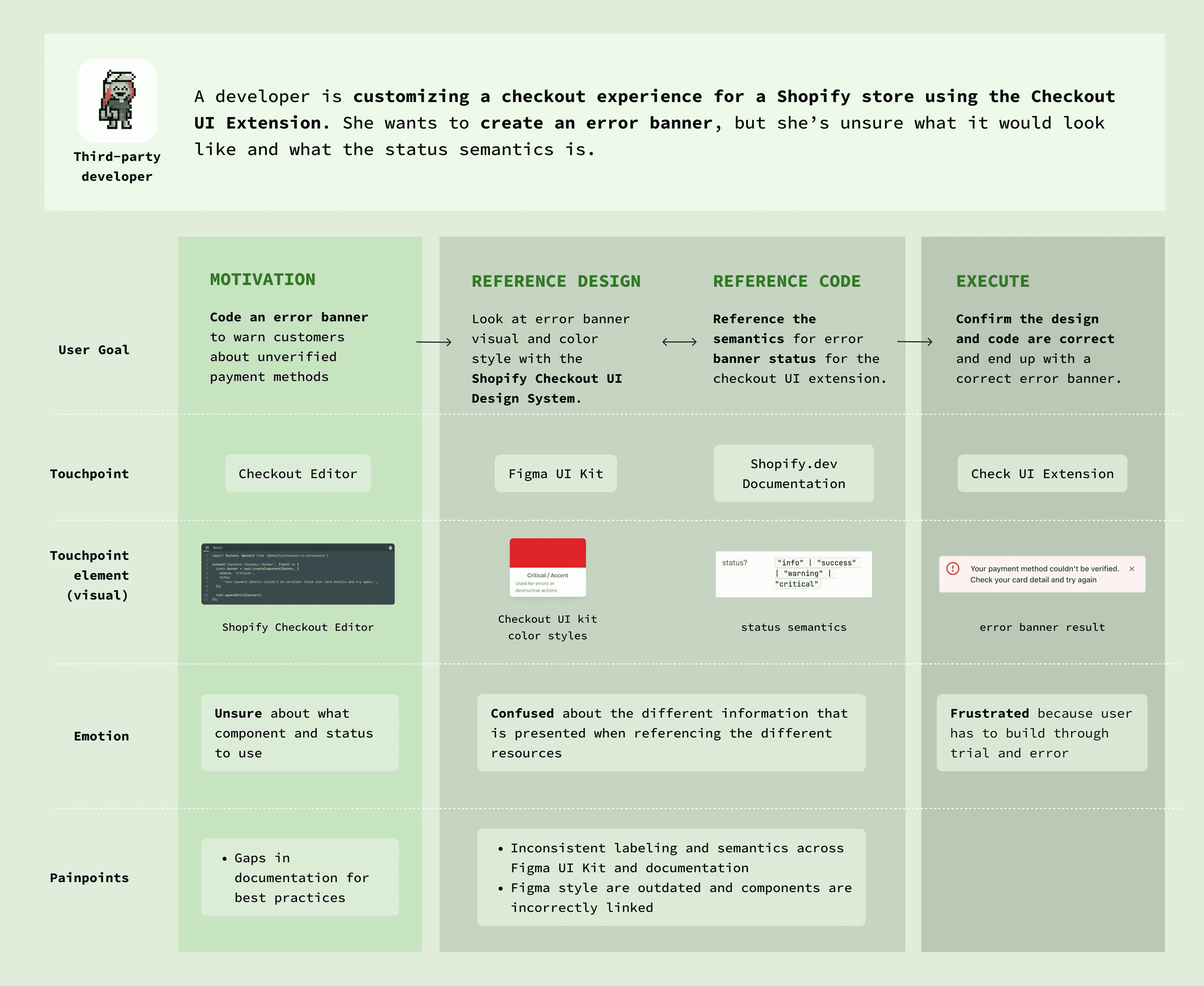
Painpoint #1
Design system and documentation were misaligned
There were inconsistencies between Figma components and developer documentation. Some components were incorrectly linked or out of sync due to Figma variant updates.
Painpoint #2
Documentation lacked clear UI guidance
Developers expressed confusion around how and when to use colors, which led to inconsistent implementations and friction during development.
How might we improve clarity and consistency in the Checkout UI design system so developers can confidently customize checkout without compromising accessibility or brand standards?
Define documentation guidelines & standards
I worked closely with my manager, one designer, two developers and one content designer to craft different solutions for the pain points that were identified. I updated 8 different components and tested them against existing designs. Moreover, despite my short internship, I volunteered to write the color guideline documentation, since the developers have expressed color being their biggest point of confusion.
Solutions
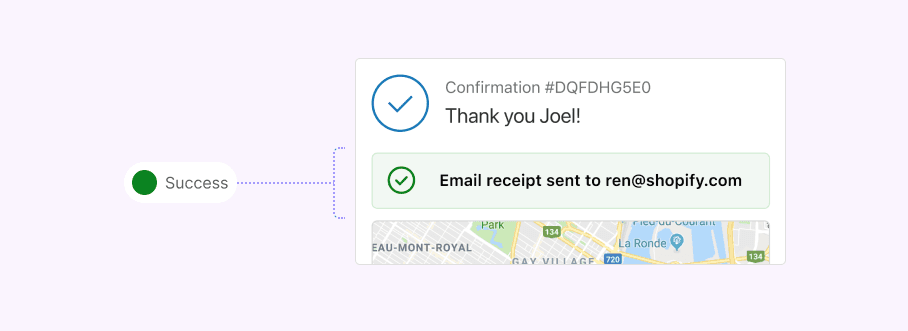
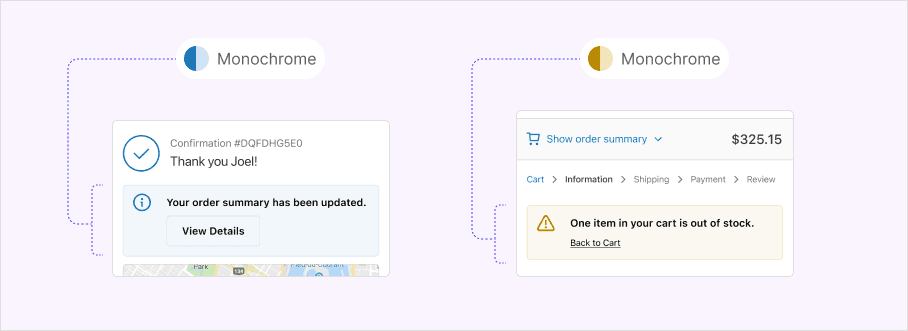
Optimize color styles for developers and ensure it aligns with the semantics.
Update the colors by validating against existing screens and testing color accessibility.
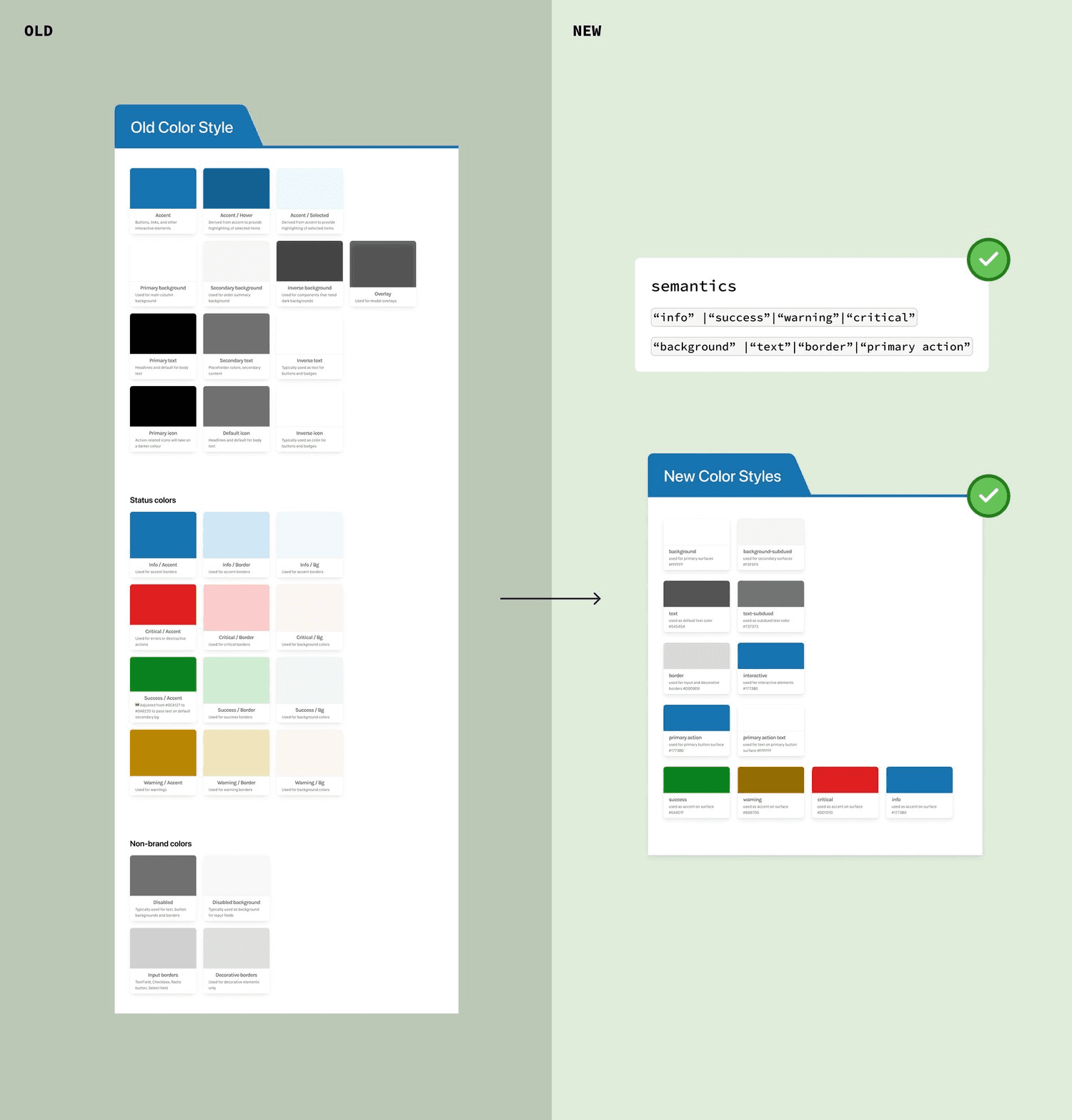
I worked with designers and developers to:
Update 8 core components
Resolve issues introduced by Figma variant changes
Validate updates against existing checkout screens to ensure backward compatibility
I used Figma branching to safely test and iterate without breaking the system.
Color was consistently cited as the largest source of confusion for developers, so I volunteered to lead this effort despite the short internship timeline.
My approach:
Conducted competitive analysis to understand effective color documentation patterns
Reduced color options to only those supported by the API
Validated colors against real checkout screens
Ensured all colors met accessibility standards
Iterations and testing
Because design system changes affect the foundation of the product, every update was rigorously tested.
Tested components across existing checkout screens
Iterated on color roles and terminology
Presented work in 2 design critiques and 3 developer interviews
This helped ensure the system was both technically accurate and easy to understand.
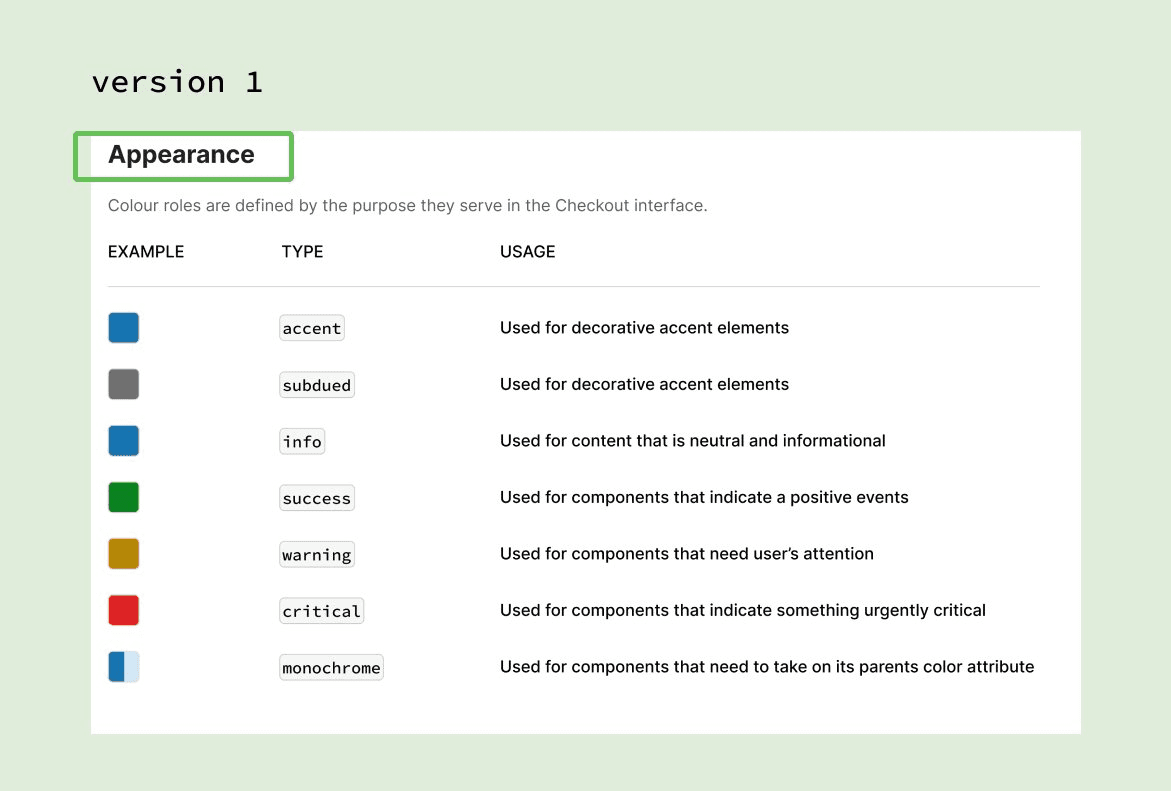
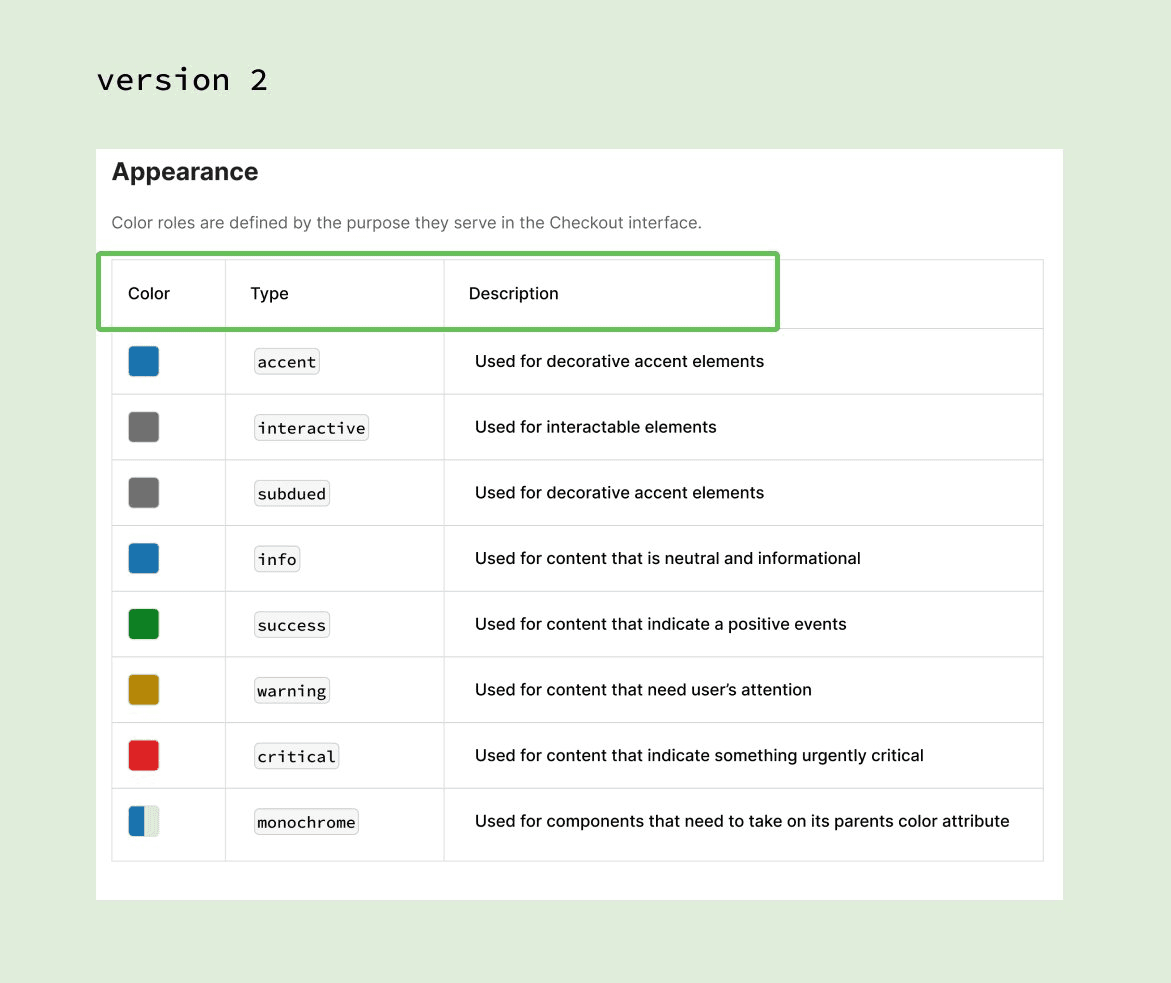
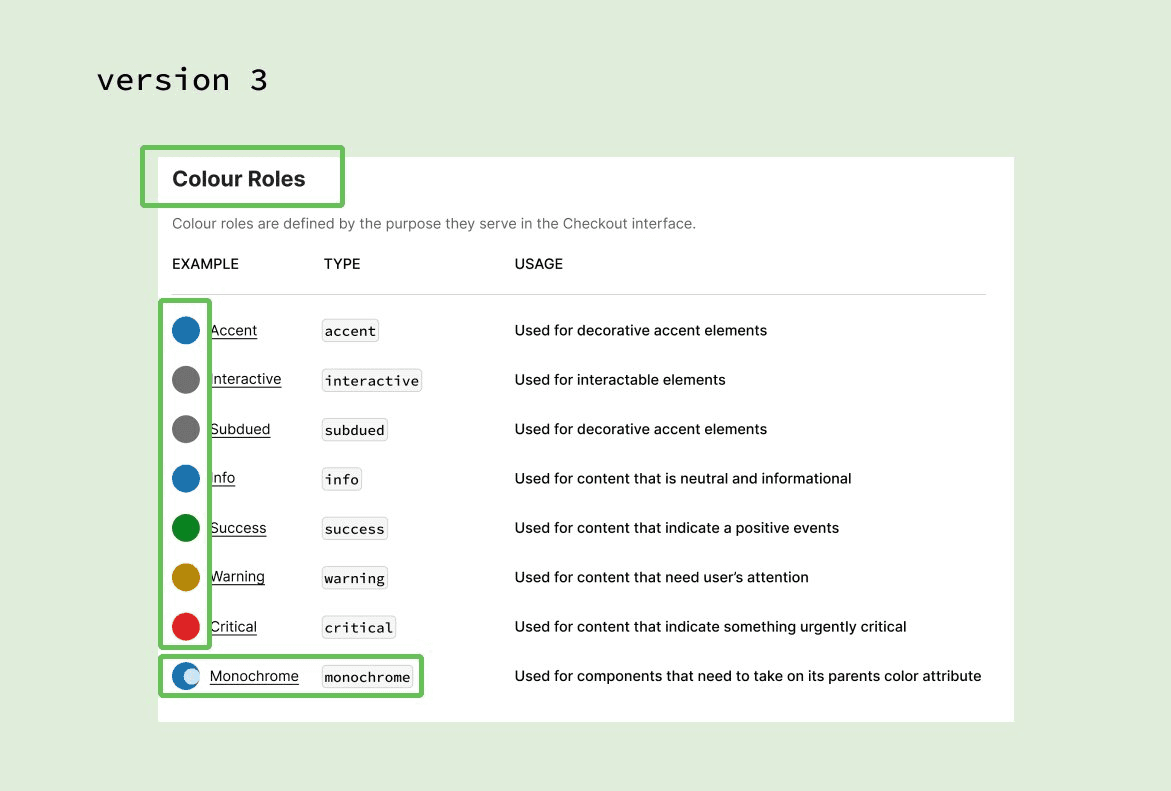
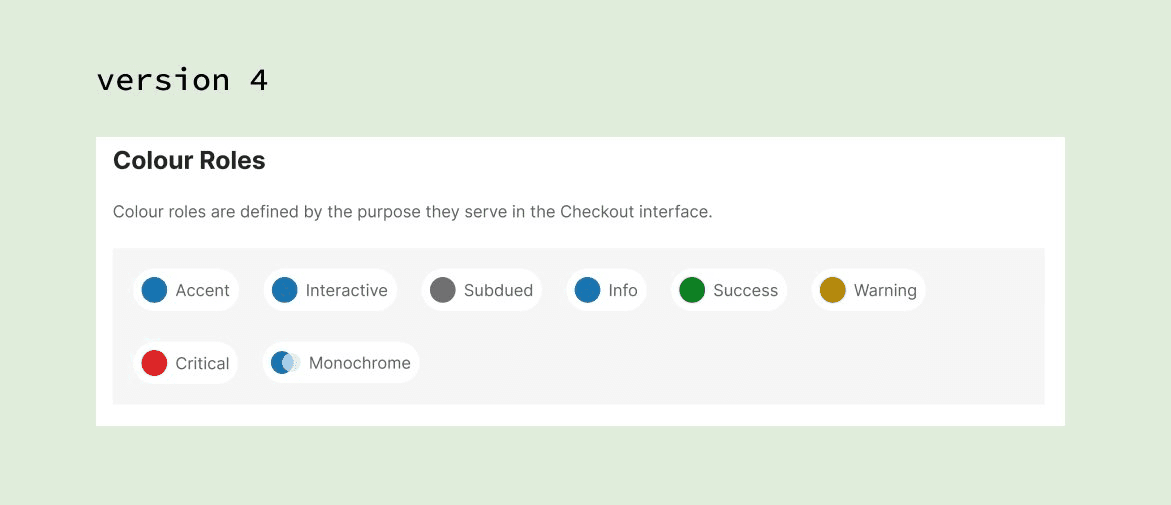
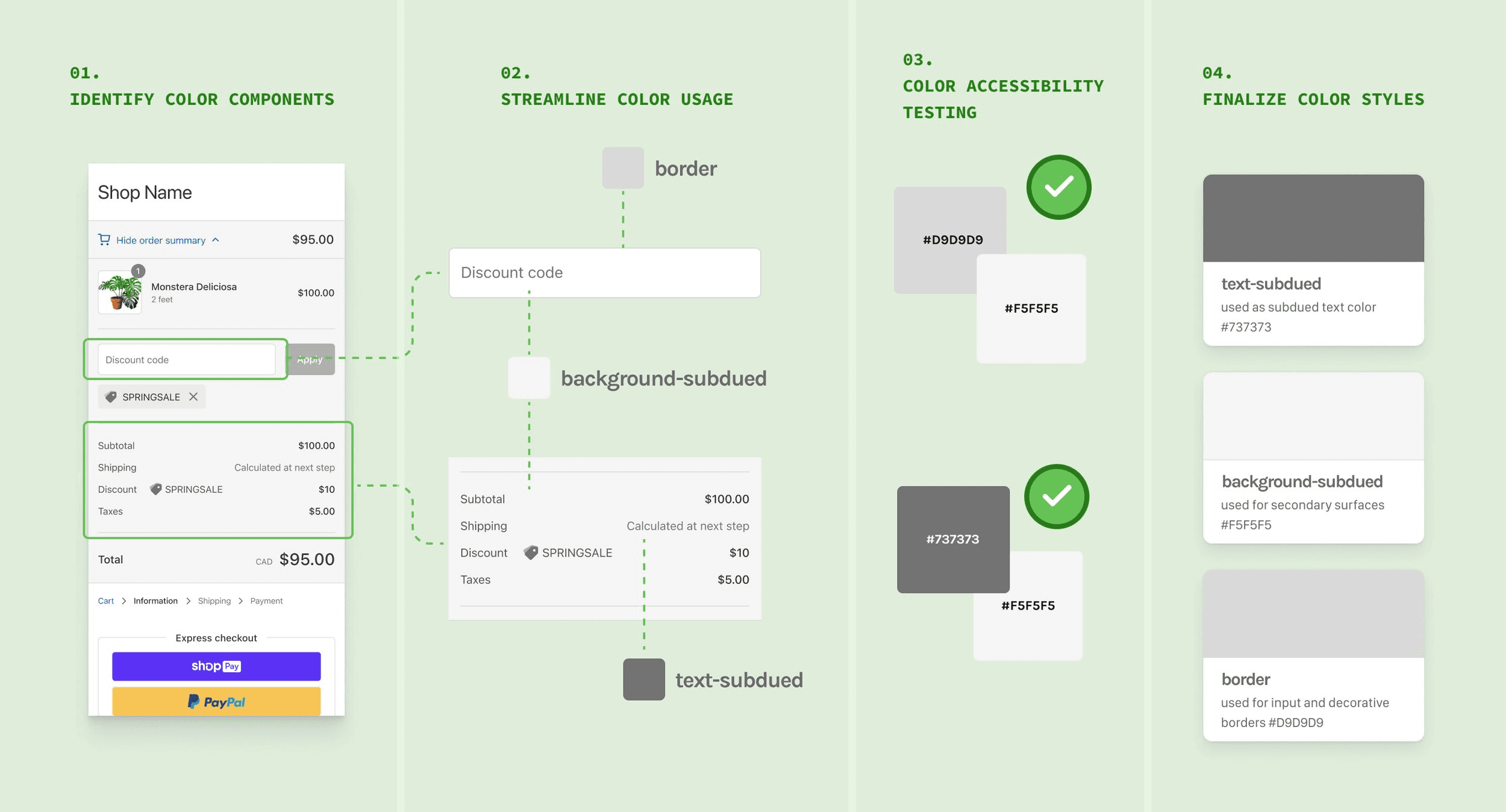
Color accessibility validation process
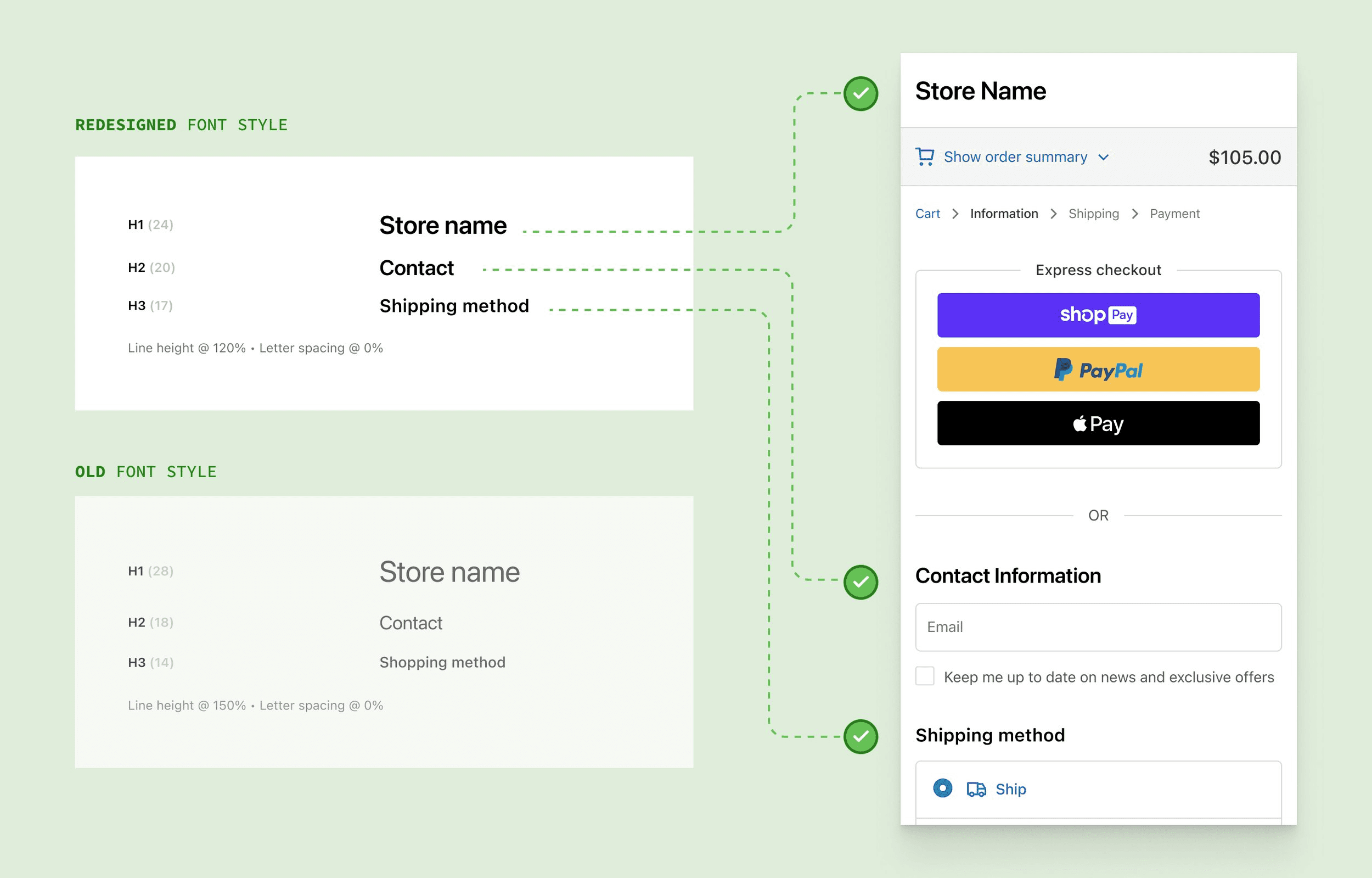
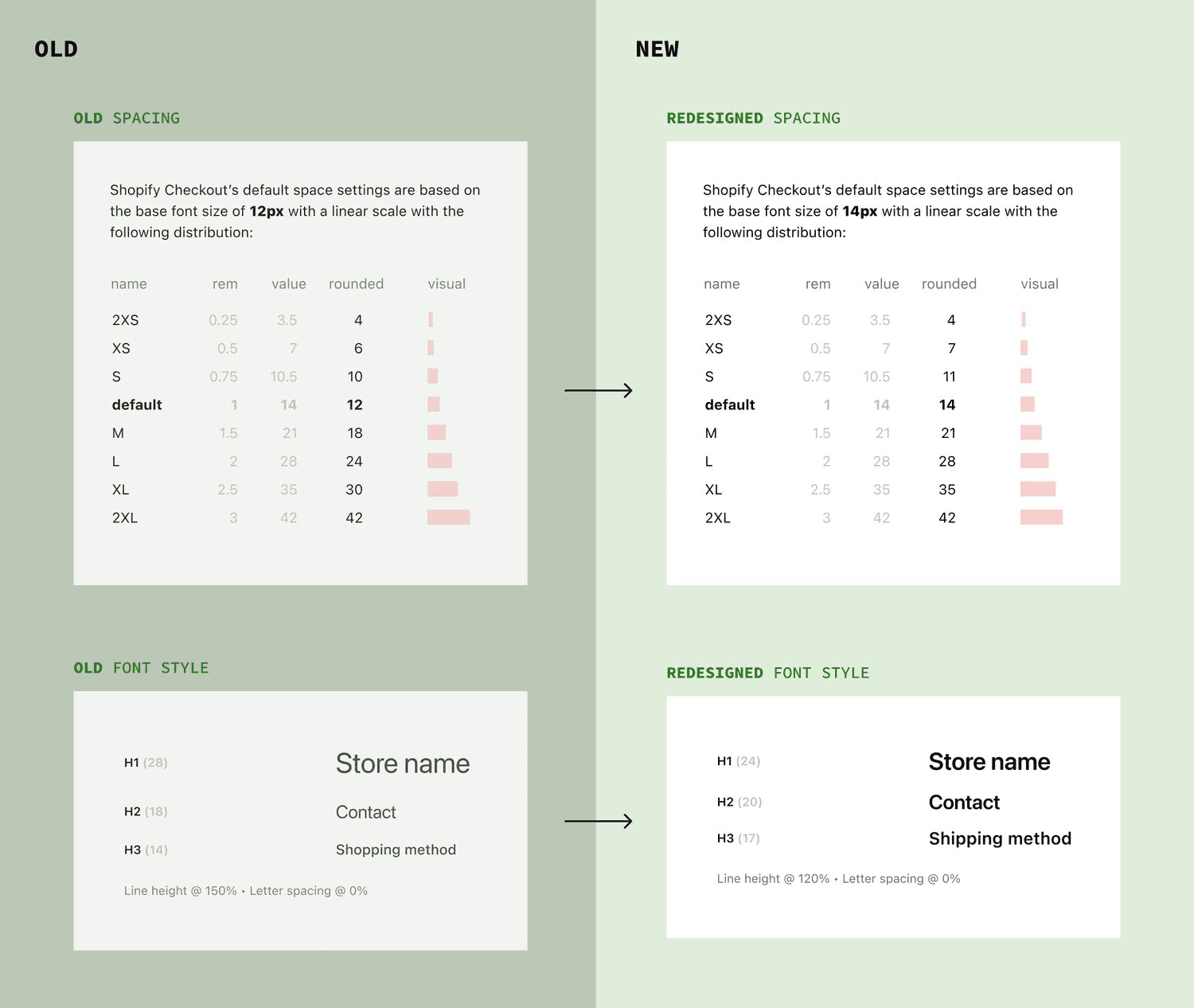
Text update validation
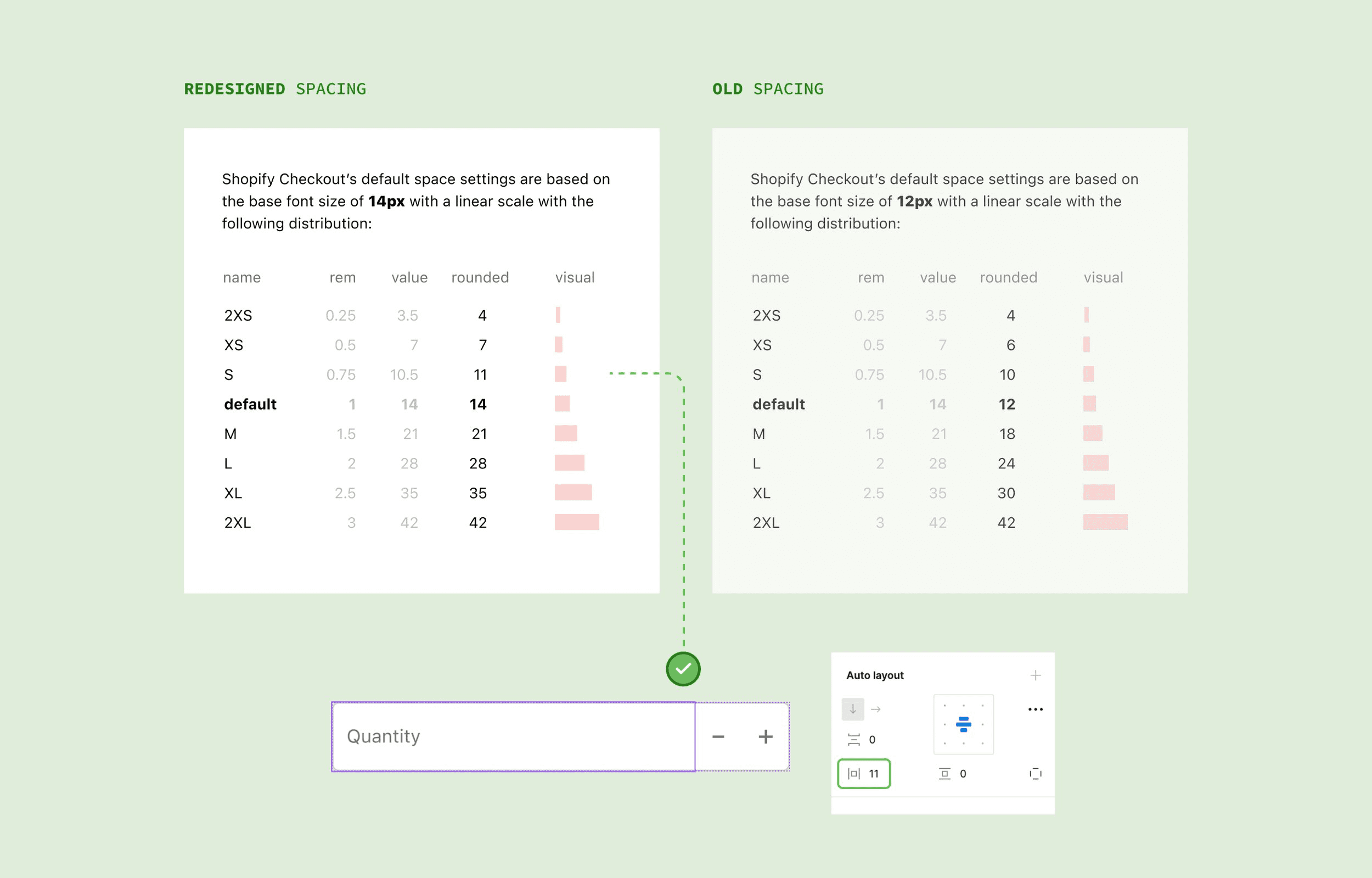
Spacing update & validation
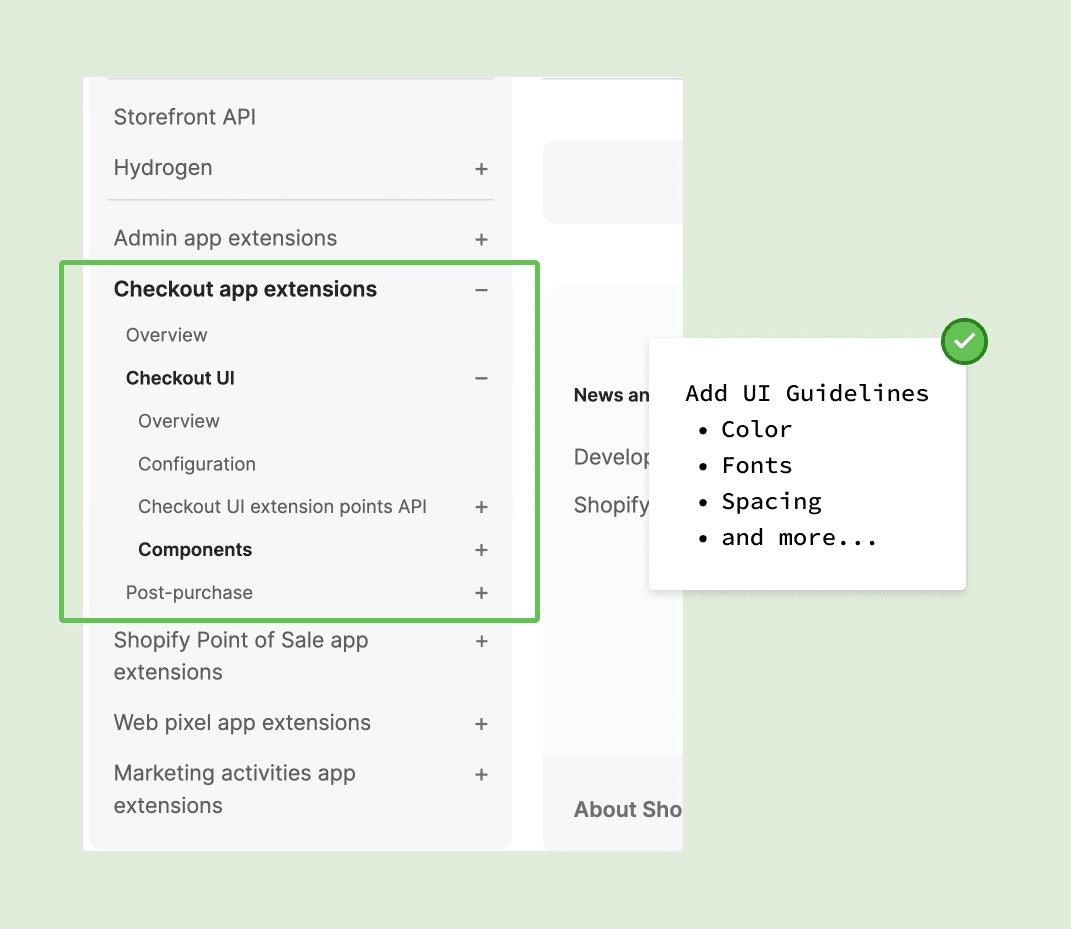
Color Guidelines (Developer Documentation)
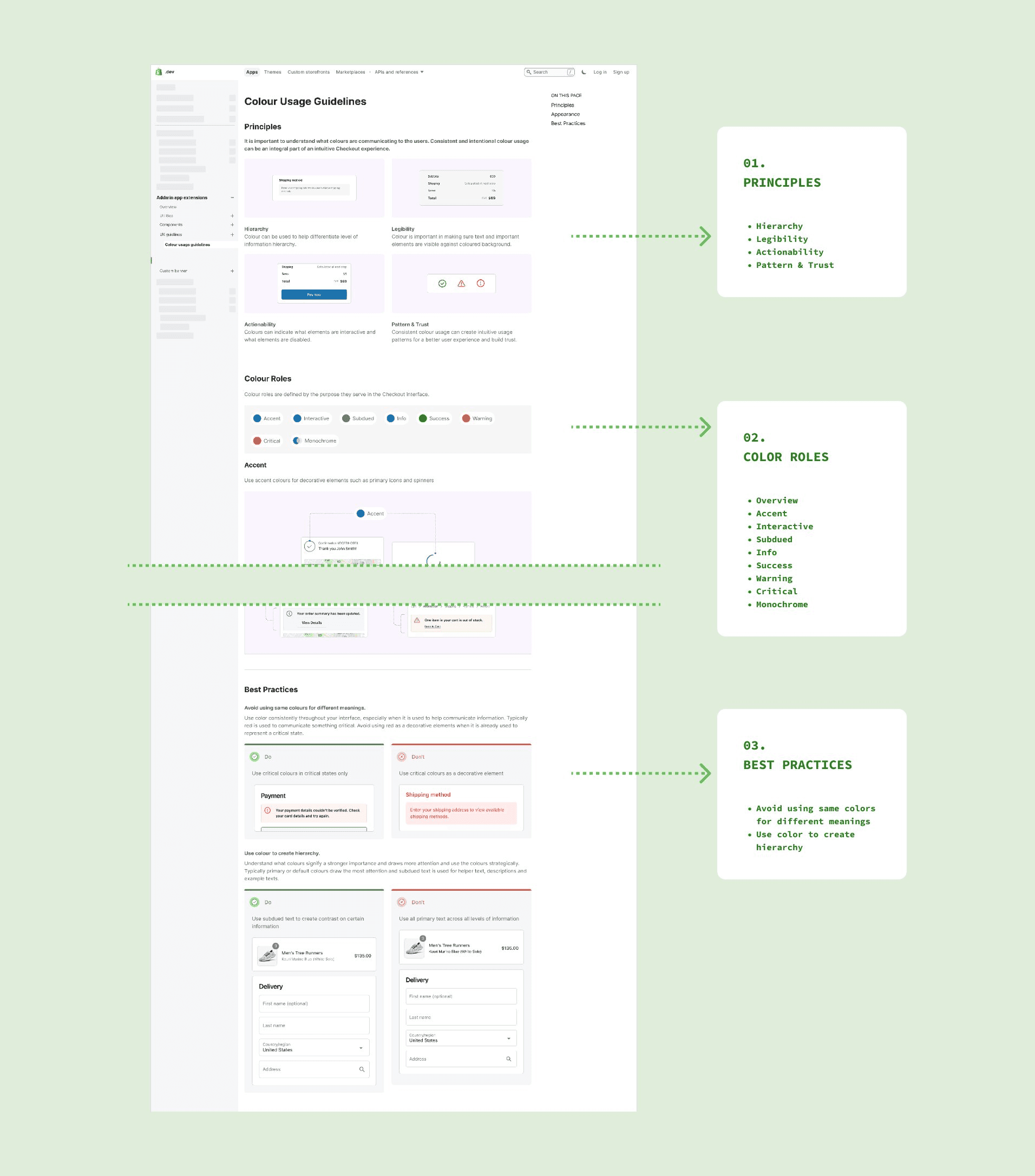
The final color guidelines included:
Principles – when and why to use color
Color roles – semantic meaning over raw values
Best practices – accessibility and real-world examples
This documentation became the first of several planned developer-facing design system guides and was well received by the design and engineering teams.
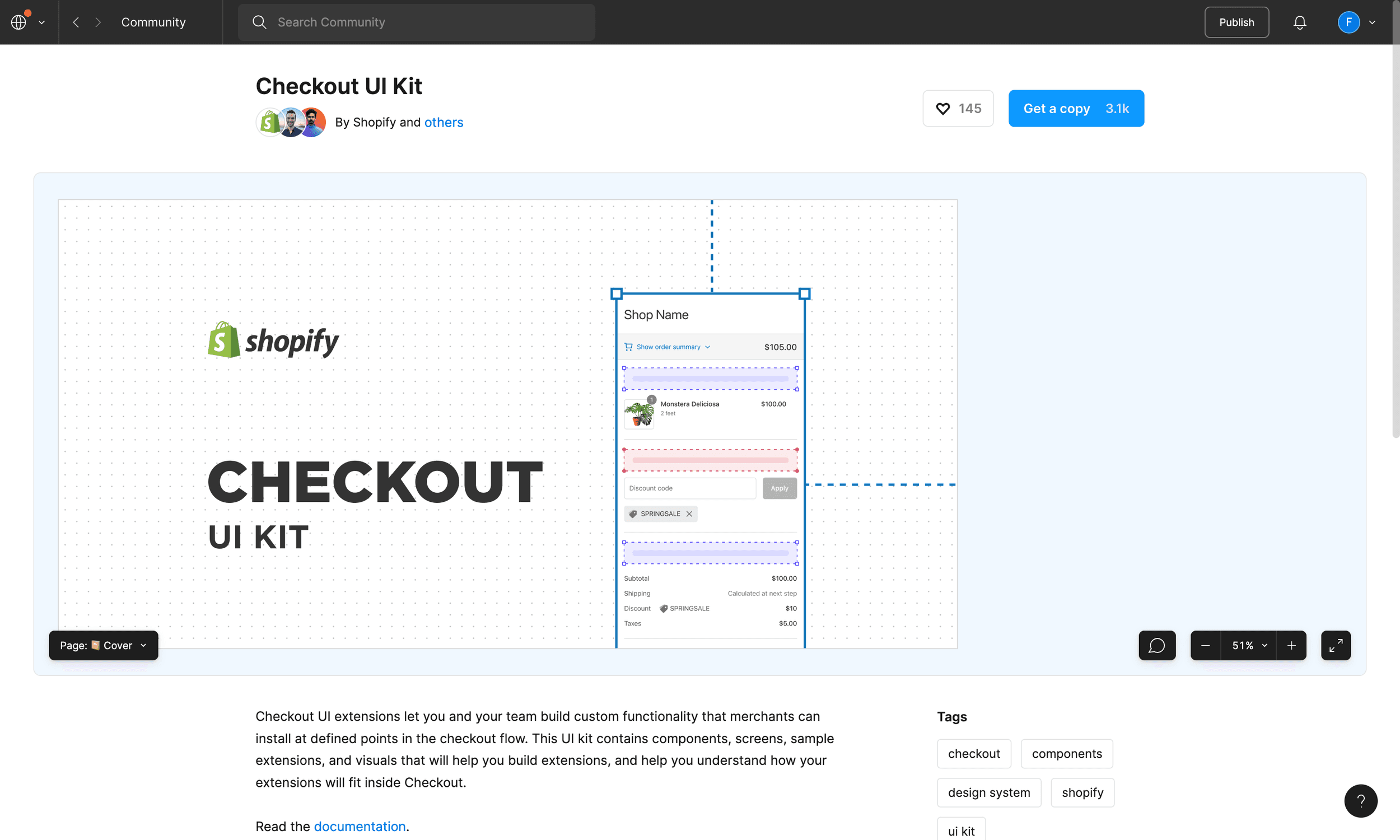
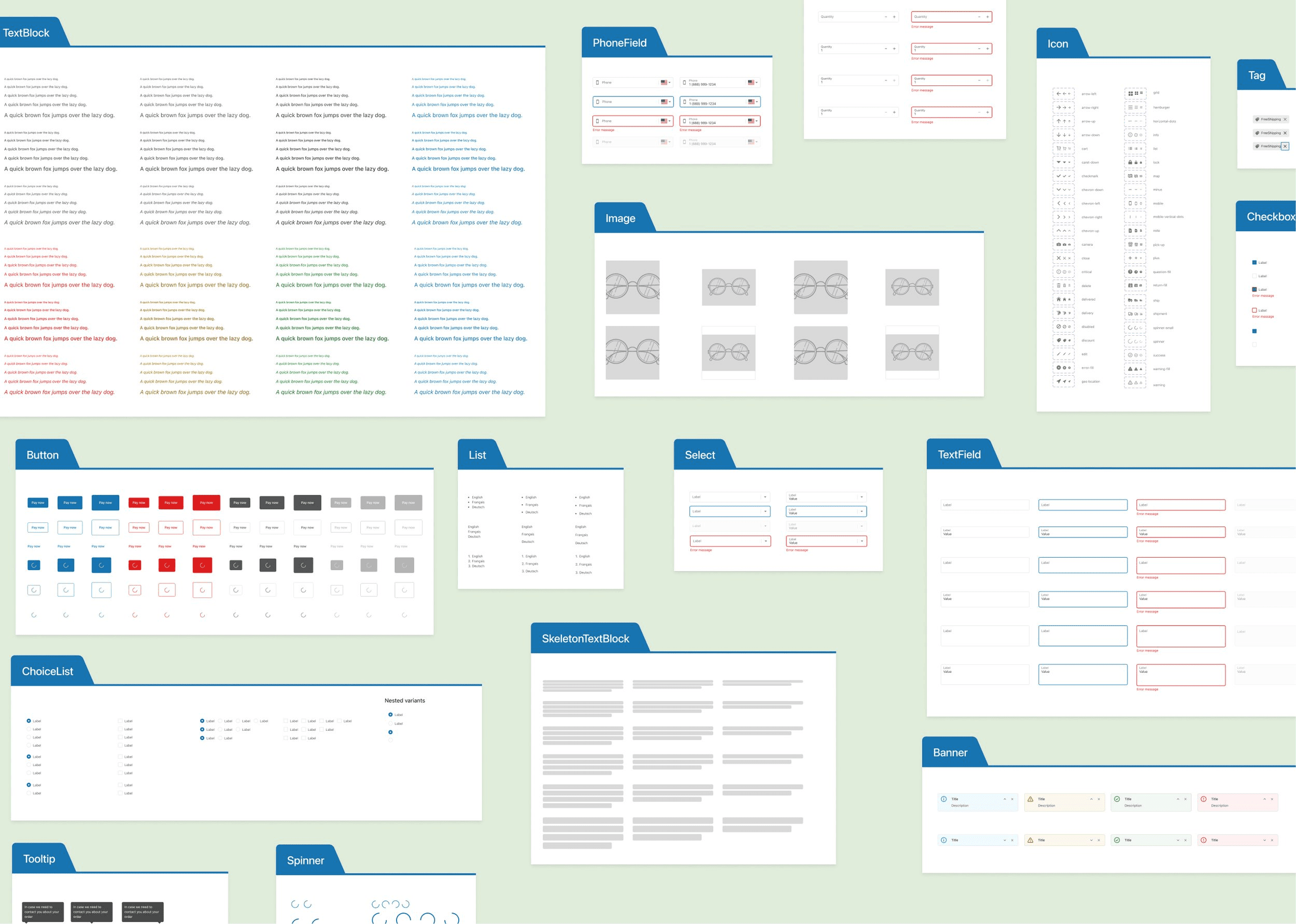
Design System UI Kit
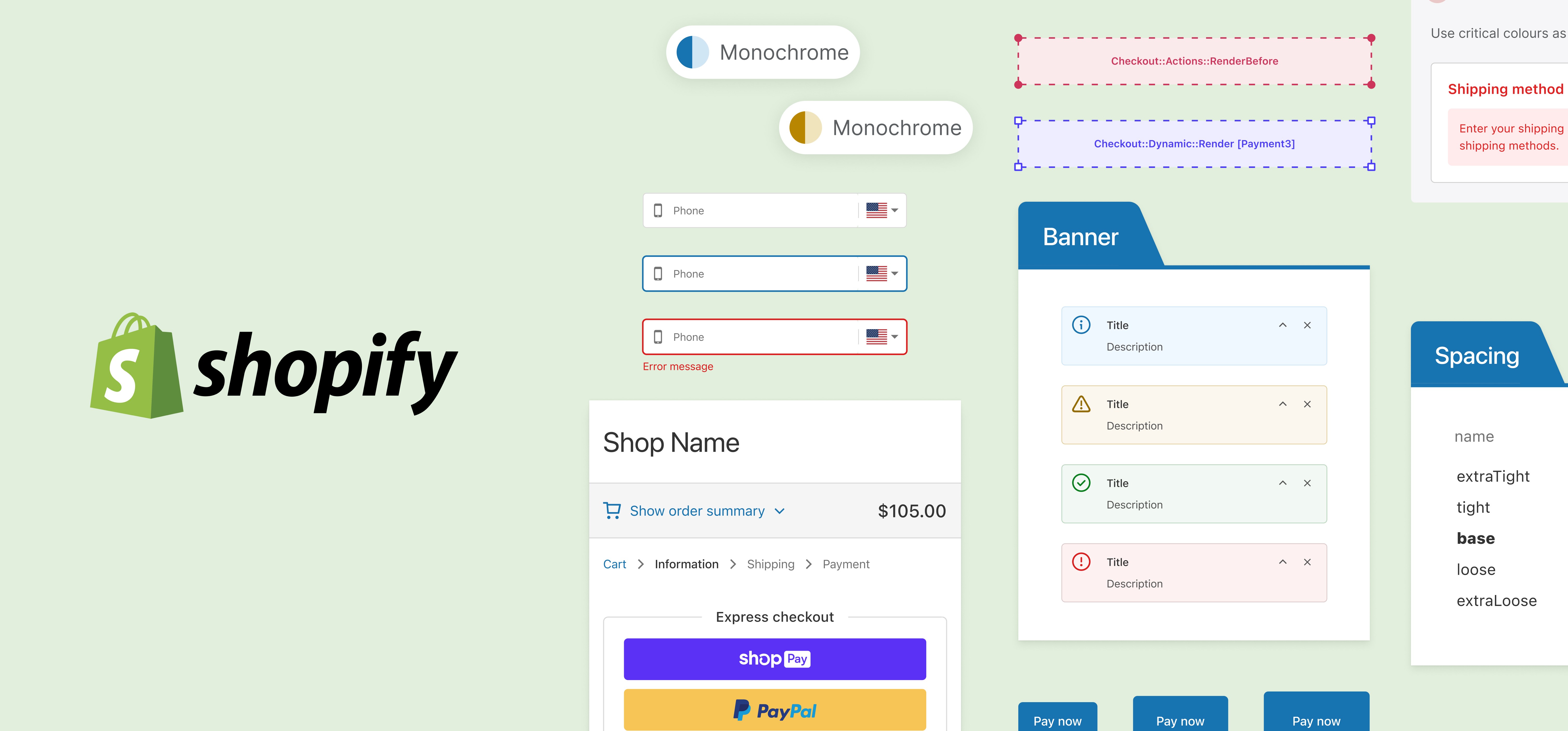
The Design system consisted of 50+ components with newly updated color, spacing, font size…etc. aligning with API capabilities and accessibility requirements
01 — Designing with precision and iteration
Design systems require extreme attention to detail — small changes can have large downstream effects. This project taught me how to iterate carefully using branching, validation, and critique.
02 — Designing for both designers and developers
This was my first experience creating developer-facing documentation, which pushed me to think beyond visual design and deeply understand technical constraints. I learned how to make design decisions that balance usability, implementation feasibility, and accessibility.